Free · Windows · Android · macOS coming soon
Your day,
always in view.
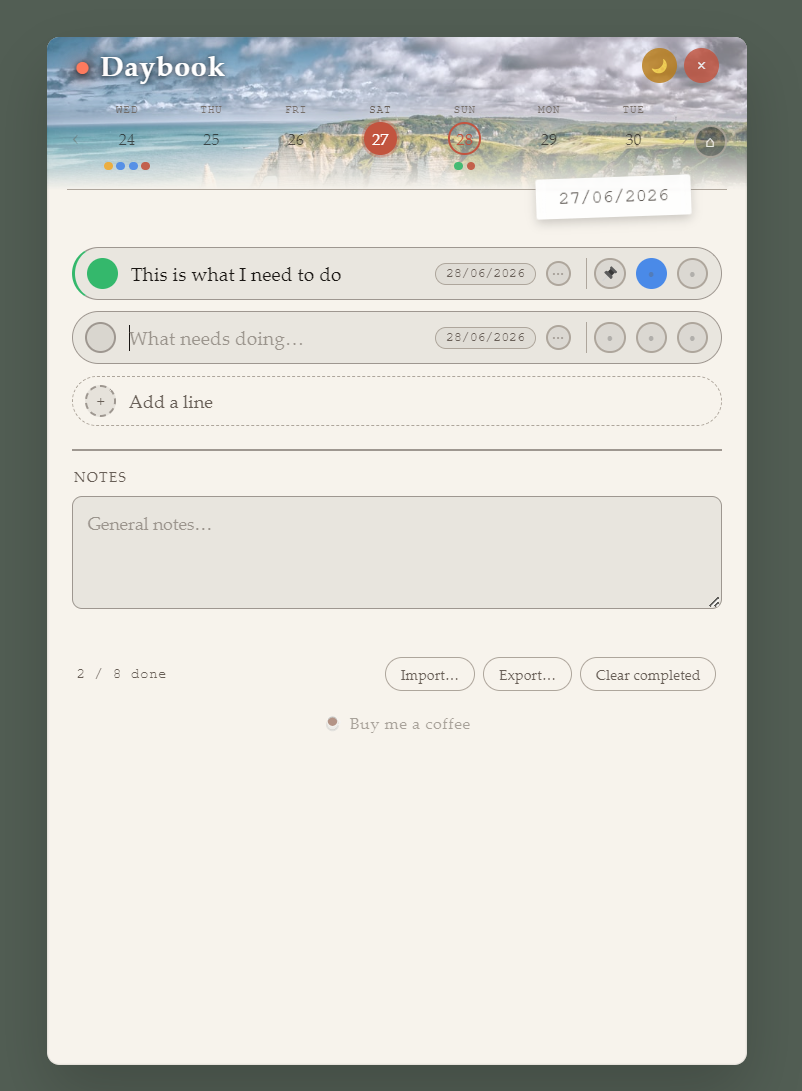
Daybook is a transparent, always-on-screen daily planner. Write your tasks, mark them your way, and work through your day — without leaving your desktop.
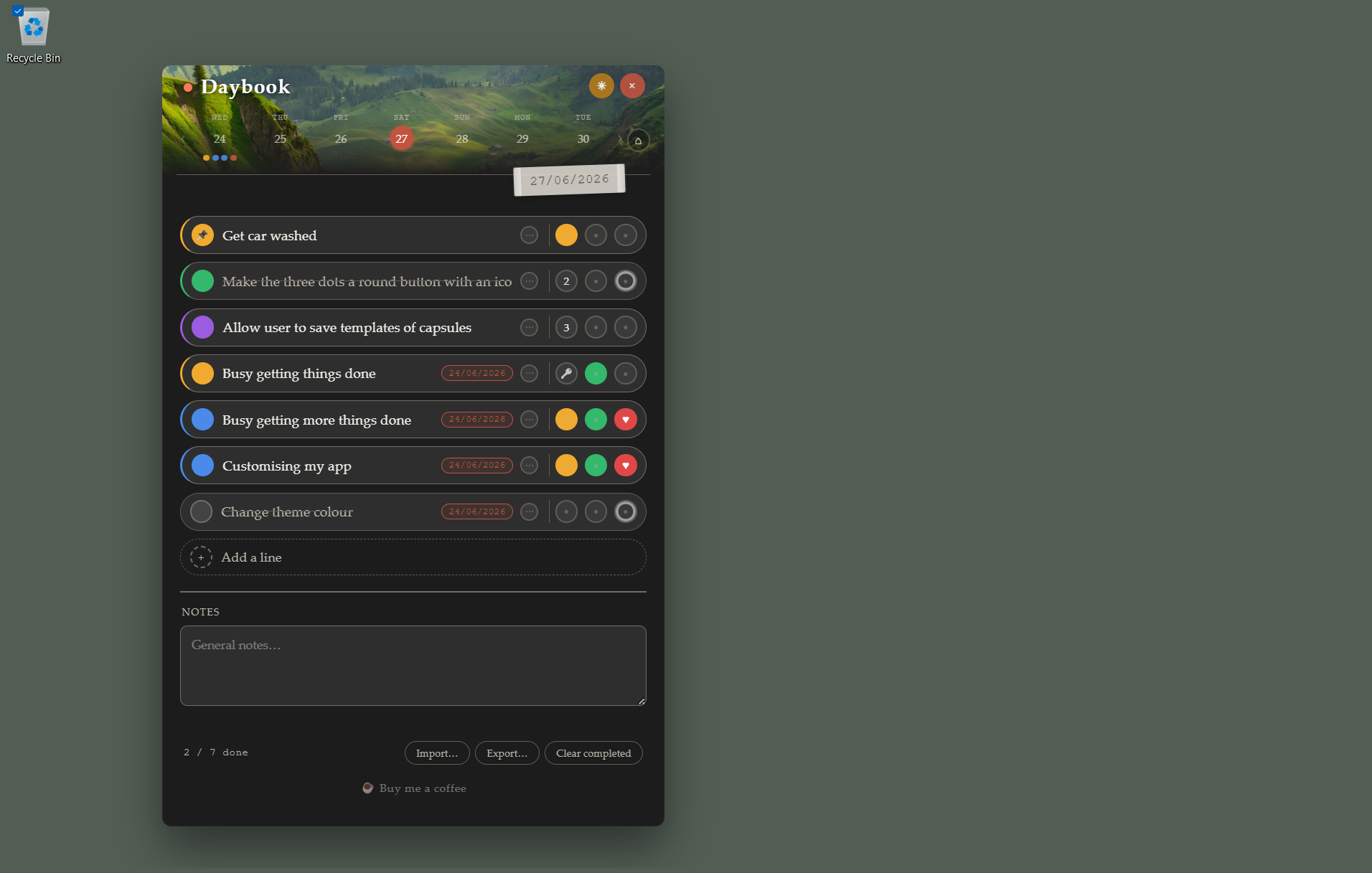
Daybook is a transparent, always-on-screen daily planner. Write your tasks, mark them your way, and work through your day — without leaving your desktop.
The week strip sits above your list at all times. Any task with a deadline set gets a coloured dot on its due day — a quick visual scan tells you what's coming up.
Click a day to filter your list down to just the tasks due on that date. Click it again to go back to everything.
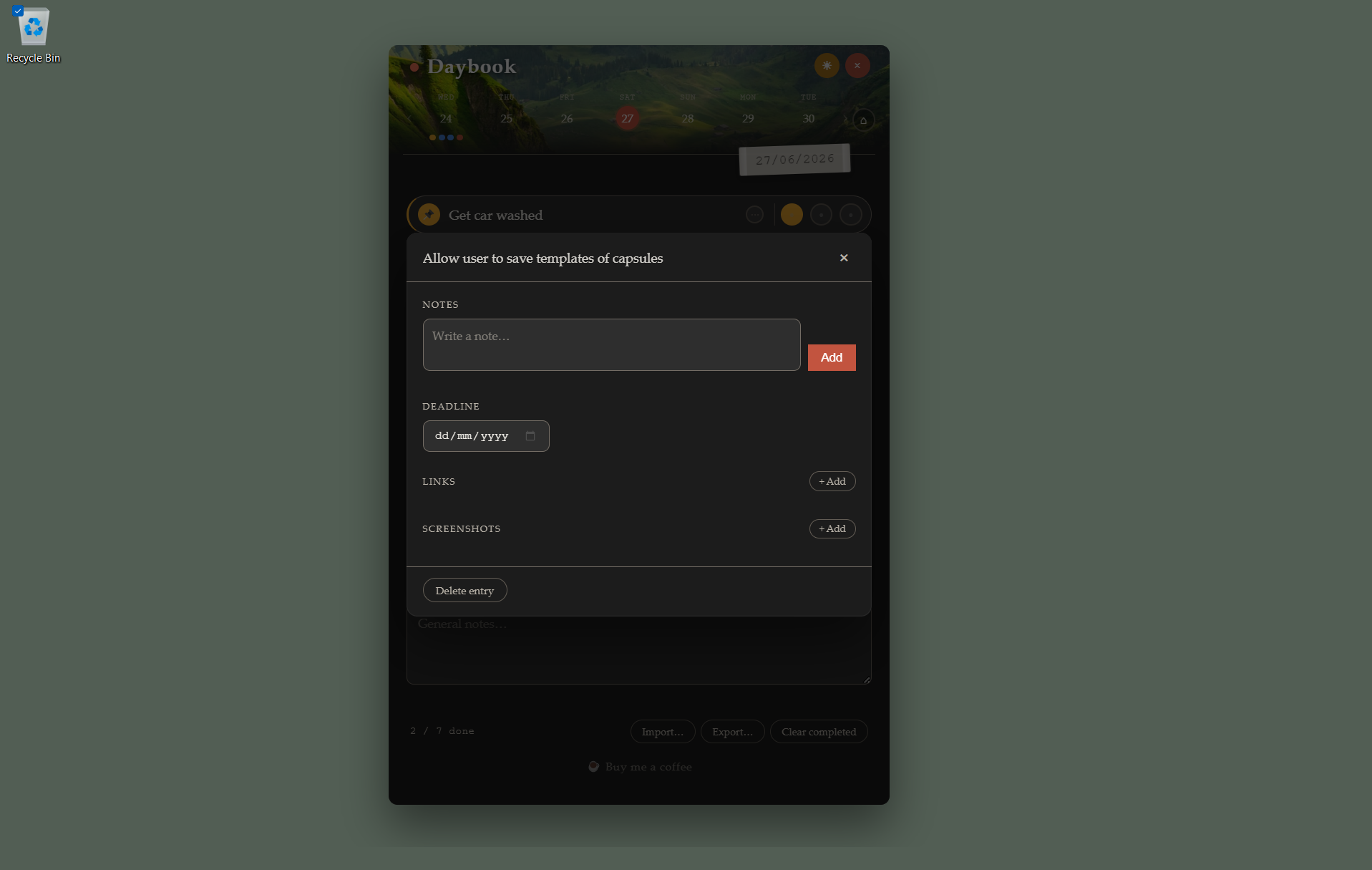
Click ⋯ on any row to open the full detail panel. Keep notes, links, and context attached to the task itself — not scattered across other apps.
Everything is stored locally. No sync, no server, no upload.
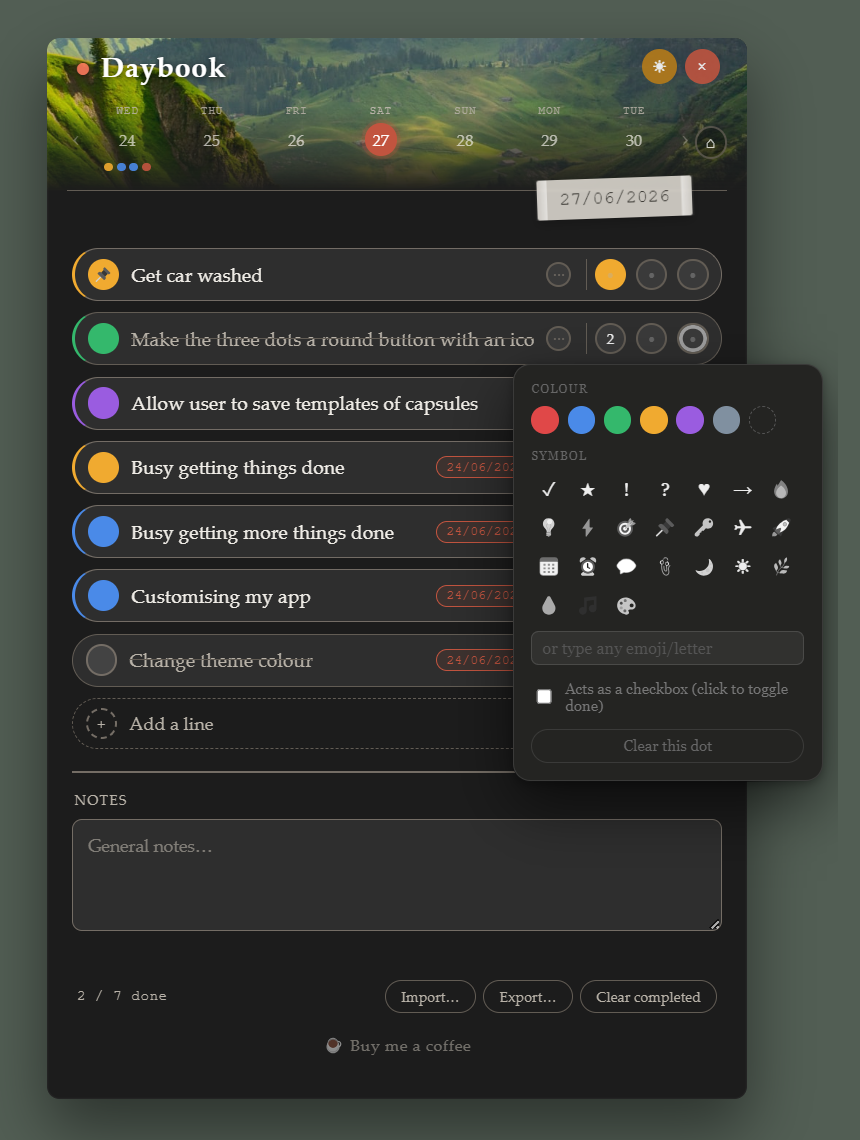
Track three stages of a task independently — draft, review, signed off.
Colour-code by project, client, or team — instantly scannable at a glance.
Use checkboxes for sign-off flows — designer approved, dev approved, shipped.
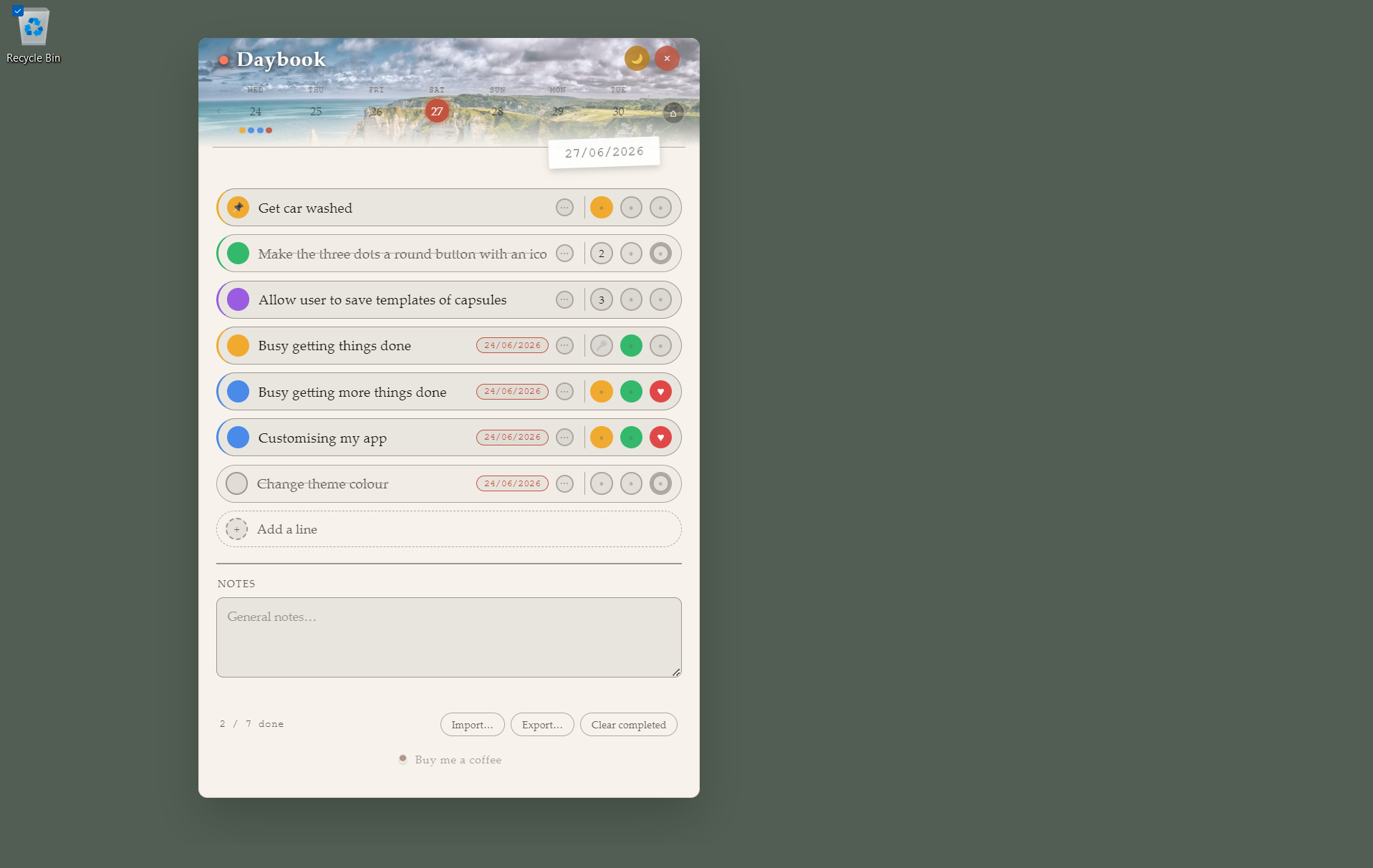
Toggle between dark and light mode at any time with a single tap. Your preference is saved and applied instantly — no flash, no reload.
Daybook also ships with four subtle nature-inspired background scenes. The floating window takes on a quiet, considered identity that sits comfortably on any desktop without shouting for attention.
Daybook launches as a frameless, transparent floating window that sits above everything on your screen. Position it anywhere, resize it to fit your workflow, and it remembers exactly where you left it. No browser tab, no taskbar hunting — it's just there, every time.
On Android, open Daybook in Chrome and tap "Add to home screen." It installs like a native app — home screen icon, full-screen launch, no browser chrome visible. Same task model, same customisation, same features. Works fully offline from the moment it's installed.
The Mac version is in development. It will bring the same always-on-screen floating window experience to macOS — same local-first data, same full customisation, same respect for your privacy. No timeline yet, but it's coming.
Daybook floats transparently on your screen. No browser tab to lose, no app to dig out of your taskbar — it's just there.
7 colours, 24 symbols, checkbox mode, or leave it blank. Each dot is yours to configure — and the three extra dots per row give you even more flexibility.
Open any task's detail panel to add notes, a deadline, links, screenshots, and timestamped comments — without it clogging your main list.
Drag any task up or down to reflect what matters most right now. No menus, no keyboard shortcuts to memorise — just drag.
Unfinished tasks don't silently disappear. Carry them forward and keep yesterday's work in view until it's actually done.
Daybook saves its exact size and position between sessions. Resize it, move it anywhere — it'll be exactly there next time you open it.
On Windows, download the installer and run it. On Android, open the web app in Chrome and tap "Add to home screen." That's it — no account, no setup wizard.
Tap "Add a line" or press Enter to add tasks. Give each one a colour and symbol to show priority or category at a glance. Set a deadline if something has a due date.
Check tasks off as you go. Add notes, links, or screenshots to anything that needs more context. Drag to re-order when priorities shift.
Free forever. No account. Uninstalls cleanly if it's not for you.